
DepEd-COMPLIANT TOUR MANAGEMENT FOR SCHOOLS
The Command Center for Safe, DepEd-Compliant School Trips
Tour Command Center (TCC) helps schools plan, approve, and monitor off-campus activities in one DepEd-aligned platform—so administrators stay compliant, parents stay informed, and students stay safe.
No obligation, no IT setup required—just a focused walkthrough for your school.
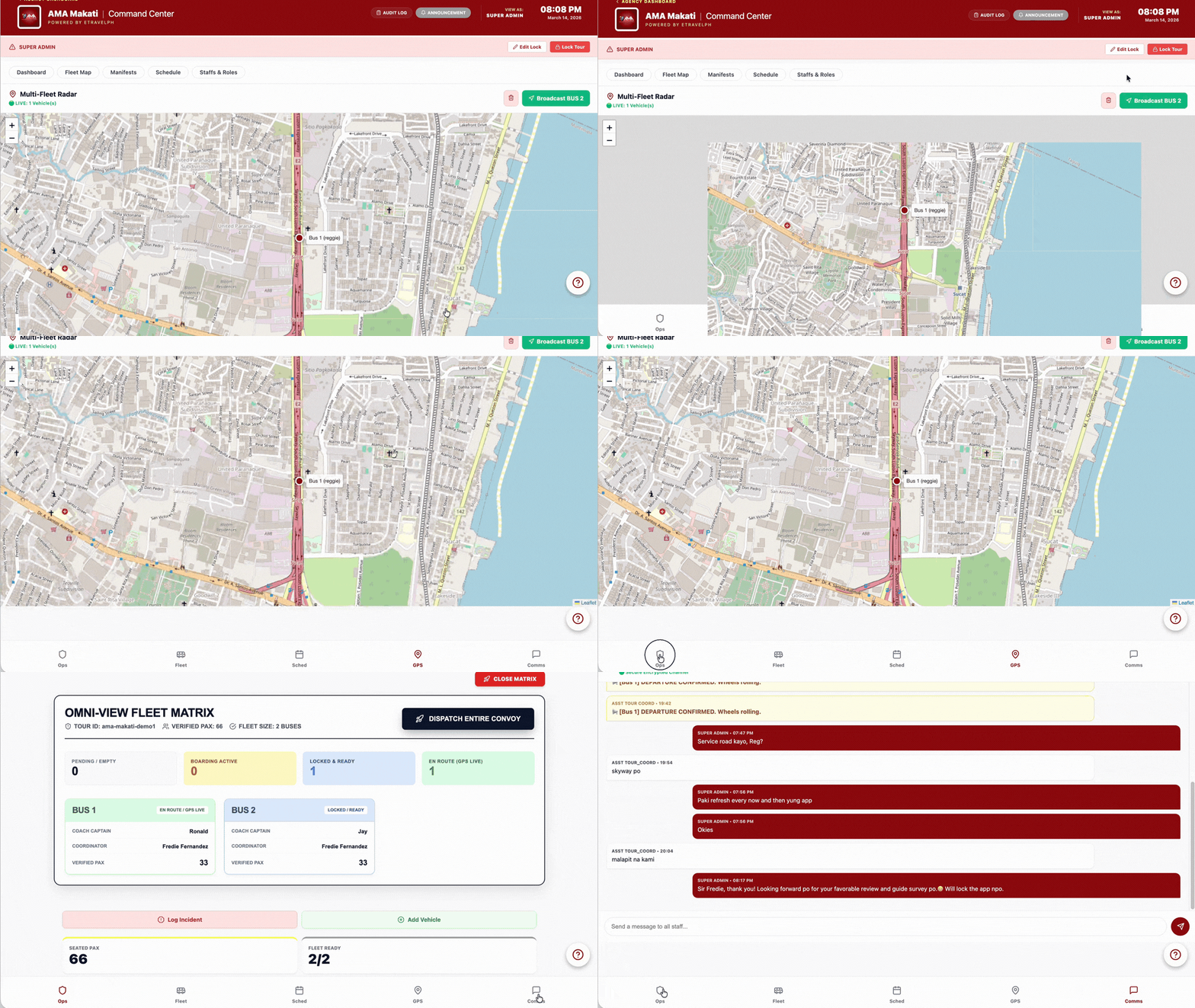
Actual deployment screens, real field photos, and school-side walkthrough proof from live educational tour scenarios.
Centralized digital consent forms and approvals
Real-time visibility on students during trips
Audit-ready records aligned with DepEd requirements
Better peace of mind for school leaders and parents
Trusted by forward-thinking schools and coordinators for safer, more organized off-campus activities.
Book Your Free 15-Minute Walkthrough
See exactly how TCC fits your existing processes, meets DepEd expectations, and reduces risk across all your off-campus activities.
- Tailored to your school’s current field trip and tour workflows
- Walkthrough of planning, approvals, live tracking, and reporting
- Answers to your compliance, parent communication, and IT questions
Ideal for: principals, school administrators, and tour/field trip coordinators.
Step 1: Share your school details
Fill out the short form below so we can tailor the walkthrough to your school. You’ll immediately receive a link to pick a slot on our calendar.
Recommended form fields in GHL:
• School Name (required)
• Principal / Admin Name (required)
• Email (required)
• Contact Number (required)
• Number of Students / Planned Trips (dropdown or short answer)
• Notes / Comments (optional textarea)
Tag every submission with: School Lead.
Field trips, tours, and off-campus activities inspire students—but they also expose schools to operational and compliance risks when managed manually.
Off-Campus Activities Are Risky Without Proper Tools
- Consent forms get lost in bags, inboxes, or group chats.
- Parents don’t have a clear view of schedules, itineraries, and reminders.
- Coordinators juggle spreadsheets, paper lists, and multiple communication channels.
- Lack of centralized records makes DepEd-related documentation slow and stressful.
- In emergencies, it’s hard to confirm who is on-site, who is absent, and who has consent.
Risk Snapshot
Manual processes make it difficult to prove compliance and safeguard students consistently across multiple trips, year after year.
TCC centralizes everything: approvals, consent, itineraries, attendance, and reports—so you have one source of truth for every activity.
TCC — Your School’s Compliance & Safety Command Center
Tour Command Center is built specifically for K–12 schools to plan, control, and document off-campus activities with DepEd-aligned workflows from start to finish.
- Pre-approval workflow: Standardize trip proposals, route approvals through the right signatories, and keep digital records of each decision.
- Parent tracking & communication: Consolidate consent forms, reminders, and key trip details in one place parents can easily access.
- Live dashboards: Monitor which students are on-site, en route, or absent—updated in real time during the activity.
- Audit-ready reports: Instantly generate summaries of participants, approvals, and incidents for DepEd or internal audits.
- Optional tour execution support: Work with vetted tour providers who understand your safety and documentation needs.
At a glance
Built for: principals, administrators, and coordinators who want less paper, less risk, and clearer records for every trip.
Focus areas:
• Student safety
• DepEd-aligned documentation
• Parent communication
• Coordinator efficiency
How TCC Works in 3 Simple Steps
From planning to reporting, TCC guides your team through a clear, repeatable workflow for every off-campus activity.
Step 1: Plan & Approve
Define the trip objectives, itinerary, and requirements inside TCC. Route proposals for approval based on your school’s policies and DepEd expectations.
Outcome: Every activity starts with clearly documented, properly approved plans.
Step 2: Track & Monitor
During the trip, coordinators use TCC to log attendance, track key checkpoints, and keep an eye on student status in real time.
Outcome: Administrators have instant visibility into who is present, who is absent, and how the trip is progressing.
Step 3: Document & Report
After the trip, generate detailed reports of participants, approvals, incidents, and outcomes, ready for DepEd-related reviews or internal audits.
Outcome: Clear, searchable history for every event—no missing forms, no fragmented files.
See TCC in Action
Give stakeholders confidence by showing the actual interface they’ll use to manage trips and documentation.
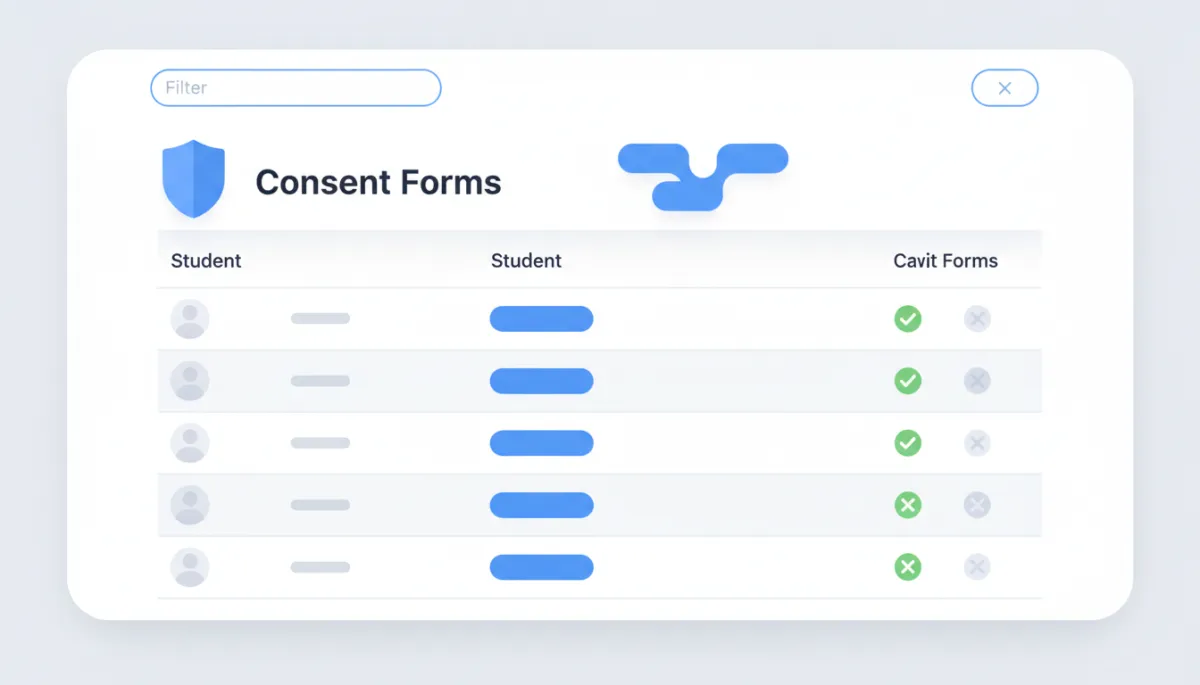
Consent Forms Hub
Track who has submitted consent, who needs follow-up, and which sections are cleared for the trip.
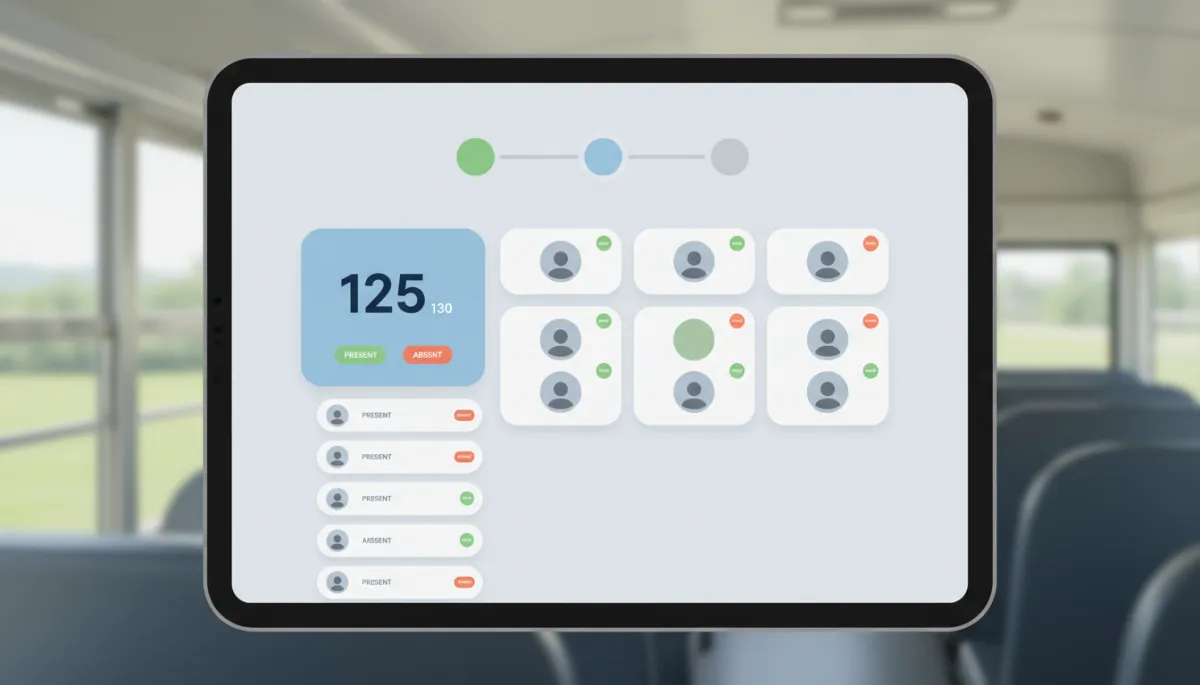
Live Attendance View
See which students are present, absent, or accounted for at each checkpoint in real time.
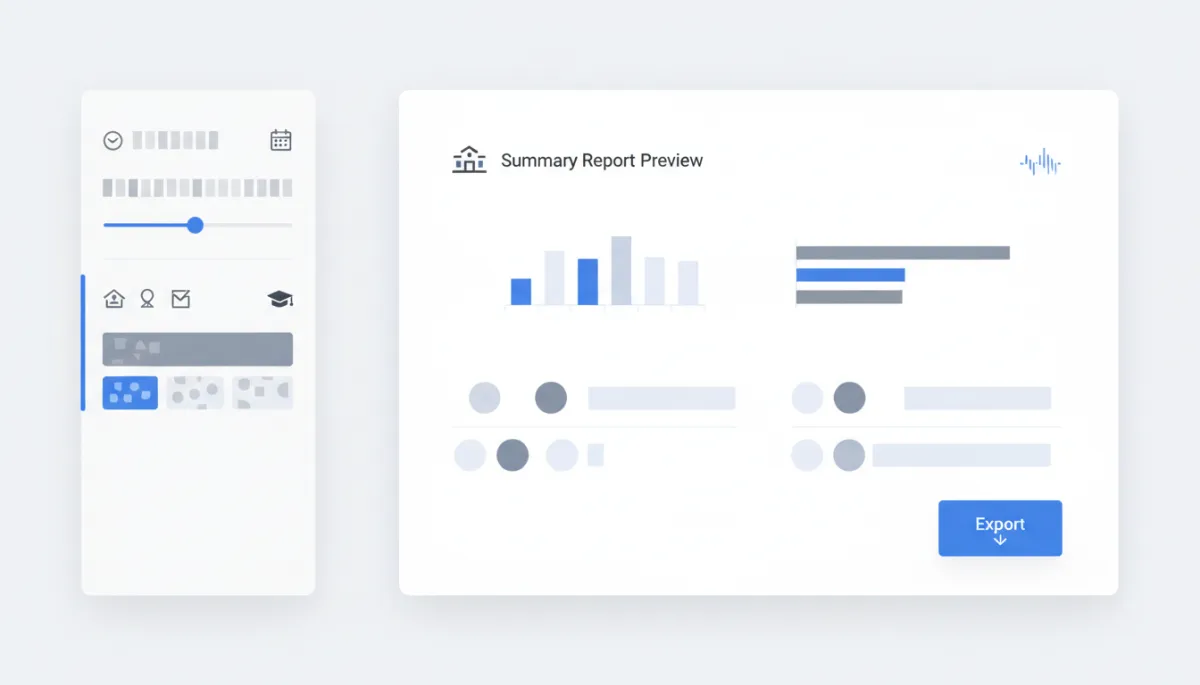
Instant Reports
Generate summaries for internal documentation or DepEd-related review in a few clicks.
Visual cue: Replace placeholders with real screenshots or a GIF scrolling through the TCC interface.
Schools using TCC
“We reduced consent form errors by more than 80%.”
“Before TCC, our coordinators chased paper forms and manually updated spreadsheets before every trip. Now, we can see exactly which students are cleared, where they are during the activity, and we generate reports in minutes. Parents appreciate the added transparency, and our leadership team feels more confident about compliance.”
— Maria Santos, Academic Coordinator, St. Gabriel Integrated School
- Reduced missing/lost consent forms by over 80%.
- Saved coordinators several hours of admin work per trip.
- Improved parent satisfaction with clearer communication.
SEEN IN REAL SCHOOL TOUR ACTIVITY






Visual cue: Replace with logos of schools and tour partners currently using TCC to build trust with administrators and parents.
Why We Built Tour Command Center
TCC was created by a team that has been on both sides of school activities: coordinating trips for hundreds of students, and supporting schools in meeting DepEd expectations.
We saw how much stress came from paper-based processes, scattered approvals, and last-minute scrambles for documentation. One missing consent form or unclear instruction could put students at risk and expose the school to complaints.
TCC exists to give school leaders a simple, centralized way to show that every off-campus activity is well-planned, properly approved, and carefully monitored—in line with DepEd’s expectations for student safety and documentation.
Our goal is simple: empower your team to run enriching trips with less admin burden, lower risk, and greater peace of mind for parents.
What this means for your school:
- A partner who understands both the operational and compliance side of school trips.
- A platform that grows with your number of trips and campuses.
- Transparent processes that make it easier to show you did things right.
- More confidence when coordinating with parents, tour providers, and regulators.
Frequently Asked Questions
If your question isn’t covered here, we’ll gladly address it during your 15-minute walkthrough.
Is TCC aligned with DepEd requirements for off-campus activities?
TCC is designed around the practical needs of schools operating under DepEd guidelines. It helps you document approvals, consent, itineraries, attendance, and incident reports in a structured way, so you can show clear due diligence when needed. During your walkthrough, we’ll show how your current process can be mapped into TCC’s workflows.
How does TCC help with parent tracking and communication?
Parents can receive clear, consolidated information about trips, including dates, reminders, instructions, and consent requests. Inside TCC, your coordinators can quickly see who has submitted consent, who needs follow-up, and which sections are fully cleared to join.
Can TCC handle multiple trips and grade levels at the same time?
Yes. TCC is built to manage multiple concurrent activities across grade levels or campuses. Each trip has its own approvals, participants, and reports, while leadership teams have a consolidated overview of all upcoming and active activities.
What devices do we need to use TCC?
TCC is web-based and works on modern browsers. Coordinators and administrators typically access it from a laptop or office desktop, while on-site staff can use tablets or smartphones to log attendance and updates, depending on your school’s device policy.
How long does it take to get started?
Most schools start with a short pilot period: a few selected trips managed through TCC. After your walkthrough, we’ll help you decide on the best rollout approach based on your number of students, campuses, and upcoming activities.
Ready to Upgrade Your School’s Trip Management?
Book your free 15-minute walkthrough and see how TCC gives your team better control, clearer documentation, and greater peace of mind for every off-campus activity.
You’ll receive an email with a link to choose your date and time right after submitting the form.
Recommended GHL Automation Workflow
Use this outline to create an automation in GoHighLevel that nurtures every new school lead towards a booked walkthrough.
- Trigger: Form Submitted — tcc-school-lead-form.
- Step 1 – Tag lead: Add tag School Lead.
- Step 2 – Send email: Automated email from TCC with subject like “Confirm Your TCC School Walkthrough” and a button linking to your GHL or external calendar (15-minute slots).
- Step 3 – Create internal task: Add task for your team: “Review TCC lead & confirm walkthrough,” due within 1 working day.
- Step 4 – Optional SMS confirm: Immediately send a short SMS confirming that their request was received and that an email with the calendar link is on the way.
- Step 5 – SMS reminder: 24 hours before the booked walkthrough time, send a reminder SMS including the meeting link/details.
- Step 6 – Pipeline update (optional): Move contact to a “Walkthrough Booked” stage once the calendar booking is confirmed.
Implementation tip: In GHL, create a dedicated Workflow called “TCC – School Lead Walkthrough” and attach it to the tcc-school-lead-form submission trigger.
For Parents
Peace of Mind During School Field Trips
Tour Command Center (TCC) helps your child’s school keep trips safe, organized, and well-documented—so you always know what’s happening and how to reach the right people.
- Clear schedules and reminders shared ahead of time.
- Centralized consent forms—no more lost papers in school bags.
- Better oversight for teachers and coordinators during trips.

Visual cue: Use a photo of a parent viewing trip updates or messages on a phone.
How TCC Helps You as a Parent
TCC supports your child’s school behind the scenes, but you feel the benefits at home.
Real-time updates
Teachers and coordinators can share key updates, reminders, and important announcements across the group—so you don’t miss anything important.
Consent tracking
No more crumpled forms in school bags. Consent is organized and tracked so the school knows exactly who is allowed to join each trip.
Emergency readiness
In case of unexpected situations, coordinators have quick access to attendance, contact details, and incident logs to respond faster and keep you informed.
Want Your Child’s School to Use TCC?
Share this page with your school administrator or trip coordinator and let them know you’d love your child’s trips to be managed with TCC.
Suggested message you can send: